


Solitaire Classic Klondike
4.7920.00 Reviews
App Specs
- Version
- 1.7.3
- Updated On
- License
- Free
- Downloads
- 1,000,000+
- Developer
- Wood Puzzle Sudoku Games
- Categories
- Card
- Platform
- Android
Screenshots
 Analysis by AppCompare
I tend to reach for Klondike when I have a few quiet minutes and want something familiar without committing to a long session. Solitaire Classic Klondike is a straightforward card game built around that simple appeal: arrange the tableau, uncover useful cards, and work toward the foundations. It suits players who enjoy making small decisions at their own pace more than chasing a story or competing online.
A quick start, with room to think
The main attraction is how little effort it takes to get into a round. Klondike’s familiar layout makes the opening moves easy to understand, while the order in which cards become available keeps each deal from feeling entirely automatic. I find it works especially well as a short mental reset: a round can fit between routine tasks, and I can stop when I’m ready rather than needing to follow a lengthy sequence of levels.
The draw-one and draw-three choices give the game two different rhythms. Draw-one is the gentler option when I want a more relaxed session or am still learning how to manage the tableau. Draw-three asks me to plan further ahead because the stock is less forgiving to browse. A useful habit is to pause before moving a card to a foundation: a card that seems ready to go may still be useful in the tableau if it helps uncover a face-down card or create a needed sequence. That small check can make a close game feel more considered.
What the helpers change—and what they don’t
Unlimited undo makes experimentation less punishing. I can test a move, see how it affects the available columns, and reverse it if it closes off a better route. That’s helpful for learning, but it can also make a round feel like trial and error if I undo every uncertain choice. I get more from it when I first think through a move, then use undo to compare two plausible options rather than treating it as a substitute for planning.
The hint function is useful when I have lost track of a possible move, particularly after a run of card flips. I treat it as a nudge, not as a strategy guide: a suggested move can be legal without being the most useful move for my longer plan. If I’m stuck, I check whether any column can be opened or whether a card in the stock changes what I can do before accepting the hint. That keeps the game from becoming a sequence of taps with no real decisions.
Personal touches and a reason to return
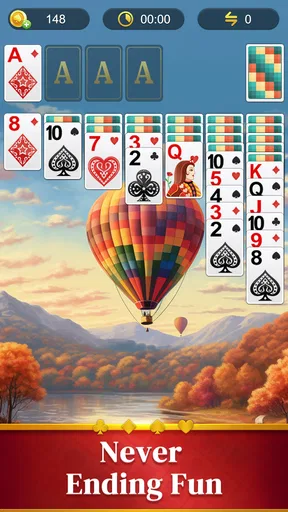
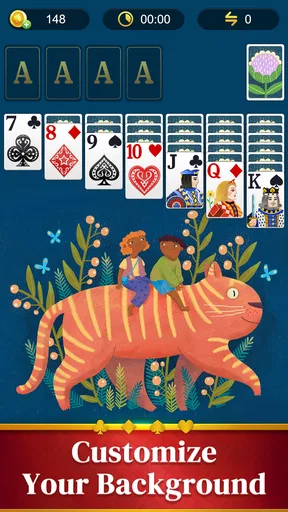
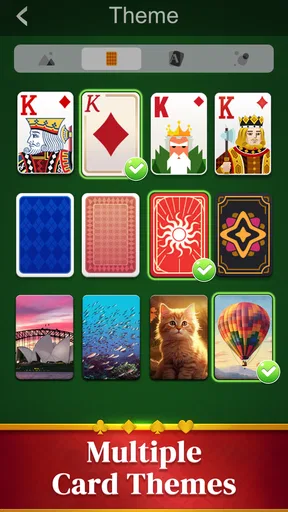
Changing card backs and backgrounds is a modest feature, but it helps the table feel less repetitive over time. I’d choose a clear, high-contrast combination for longer sessions, especially if I’m playing on a smaller screen; a decorative background is pleasant, but readability matters more when I’m scanning several columns. Switching the look occasionally can also make a familiar game feel a little fresher without changing its rules.
The stats give me a way to compare my own sessions, such as trying to improve a time or use fewer moves. I wouldn’t treat those numbers as a measure of skill on their own, since a deal’s available choices influence how smoothly it plays. They work better as a personal prompt: choose one modest goal for the next round, then see whether I can meet it without rushing. That makes the tracking more enjoyable than trying to optimize every deal.
Worth Reading Before You Choose

EA SPORTS FC Mobile 26 Is a Bigger Football Game, but It Takes Time

Flipboard Shows What News Apps Must Do Beyond the Feed

Switching to Android Auto Means Rethinking Your Driving Routine

Google Calendar Makes a Crowded Week Easier to Manage

Ludo King Makes the Most of the Minutes Between Plans

Baby Panda World Brings Quick Play to Modern Phones, but Its Game Library Feels Busy
Ads, cost, and who will enjoy it
Ads appear between games rather than interrupting a hand, which is a reasonable arrangement for a free game, though the pause can still break the flow when I want to start another deal immediately. The option to remove ads is there for players who find that interruption bothersome. I’d first try a few sessions and decide whether the between-round break actually affects my routine before spending anything.
For a commute, a waiting room, or a quiet break at home, the game is a good fit if I want a familiar solo card puzzle that I can pick up and put down. It is less suitable if I’m looking for multiplayer competition, a changing campaign, or a card game with a deep collection of rules. Compared with other Klondike apps, its appeal is the classic format and practical helpers rather than a novel twist. If variety is the priority, another kind of card game may hold attention longer; if I simply want a recognizable tableau and a low-pressure round, this one makes more sense.
First Impressions
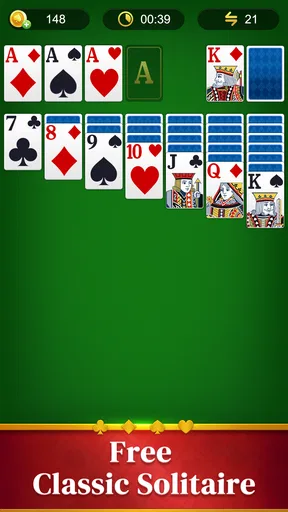
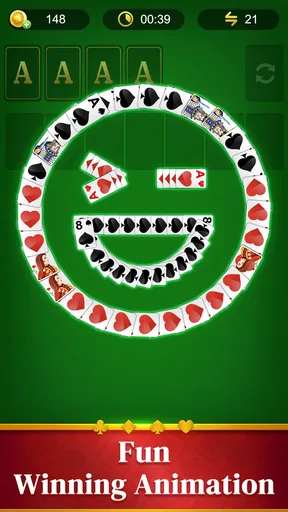
From the moment you fire up Solitaire Classic Klondike, it feels like slipping into a pair of your favorite old sneakers - comfy and familiar. The app's design stays true to its classic roots, with crisp graphics and smooth animations that enhance the playing experience without being over the top. The interface is user-friendly, making it a breeze to dive right into a game.
Gameplay Experience
So, what's it like to actually play? Well, the game stays true to the traditional Klondike Solitaire rules - deal out seven stacks of cards and start building those foundations from Ace to King. Simple, right? But don't be fooled, this game is as challenging as you want it to be. The app offers both draw-one and draw-three card modes, catering to both beginners and seasoned pros.
One thing I absolutely love is the unlimited undo feature. How many times have we all made a move only to immediately regret it? With this app, you can keep experimenting until you nail that perfect strategy. There's also a hint feature, which is a lifesaver when you're stuck staring at your screen, wondering what to do next.
Customization and Features
Okay, let's talk customization. Who doesn't like a little personal touch? Solitaire Classic Klondike gets it. You can choose between different card backs and backgrounds, giving the game a fresh look whenever you feel like it. Personally, I enjoy switching things up just to keep it interesting.
In addition to the aesthetics, the app also tracks your stats. Whether you’re aiming for the fastest time or the fewest moves, these little nuggets of information keep you coming back for more. It's all about beating your personal best, right?
Ads and In-App Purchases
Now, let's address the elephant in the room – ads. Yes, they’re there, but they’re not obnoxious. They pop up between games rather than during, so they don't disrupt your flow. If you’re really not a fan, there's an option to remove ads with a small purchase. I suppose it’s a fair trade for the endless entertainment this game provides.
Playing in everyday gaps
A realistic use for this kind of solitaire is a short, interrupted stretch of time: I might begin a deal while waiting for an appointment, set the phone aside when my name is called, then return when there’s another pause. The game’s familiar structure makes that more convenient than a card title that expects a continuous session. I’d still avoid starting a fresh deal if I have only a moment, since the appeal is in following the card arrangement rather than tapping through a round as quickly as possible.
For a calmer evening, I’d choose draw-one and treat the session as a small puzzle, not a race. For a sharper challenge, draw-three gives each stock pass more weight. Alternating between them is a practical way to keep the same core rules from feeling too routine. If a round turns into repeated undoing, I take that as a cue to reset my attention or start another deal rather than spending ages trying to force one position to work.
Speed and reliability in practice
Klondike is a comparatively light kind of play: the screen is centered on cards and simple moves, not a large world that needs constant loading or elaborate effects. In ordinary use, I would expect this style of game to feel responsive on a compatible device, but actual speed can vary with the phone or tablet and its condition. The visual simplicity is part of its appeal; players who want cinematic animation or a steady stream of new content may find the experience plain rather than fast-paced.
The between-game ad placement also shapes the sense of pace. A hand itself can keep its rhythm, while the pause after finishing can make repeated rounds feel less seamless. That matters most during a longer session, when restarting quickly is part of the enjoyment. For occasional play, I find it a small interruption; for someone who wants uninterrupted back-to-back deals, it may be the most noticeable friction.
Device fit and sensible expectations
The game is free and is rated for Everyone, so it is an approachable option for a broad range of players. Its current version is 1.7.3 and it requires Android 6.0 or later. The developer is Wood Puzzle Sudoku Games. Those details make it easier to judge basic compatibility, but I’d still check that my own device has a comfortable display for reading card ranks and suits before settling in for a longer session.
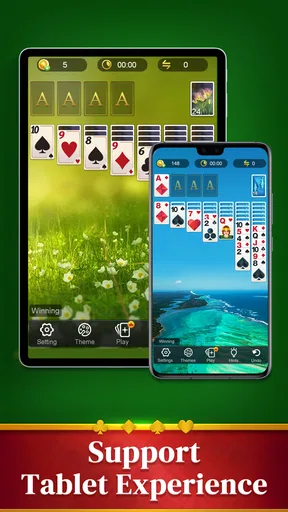
On a compact screen, I’d favor a simple background and take a moment to inspect the cards before making a move. That is more useful than trying to play at maximum speed, particularly in draw-three, where a missed card can change what seems possible. If the interface feels cramped on a particular device, a tablet or a phone with a larger display may be a better way to enjoy the same game; the rules themselves do not become more interesting just because the screen is bigger, but the tableau is easier to scan.
How it sits among card-game alternatives
Against a physical deck, this version saves the setup and cleanup, and the hint and undo tools make learning less frustrating. The trade-off is that a screen-based game cannot offer the tactile feel of moving real cards, and ads can interrupt the transition between hands. Compared with other digital Klondike games, the familiar rules, visual choices, and personal stats are the reasons to consider it; someone seeking tournaments, opponents, or a broader range of card games should look elsewhere instead of expecting this title to become something it is not.
It also differs from more elaborate mobile card games that rely on unlocks, missions, or frequent changes of pace. Here, the repeatable puzzle is the point. I’d recommend it to someone who already likes Klondike or wants an accessible way to learn its basic decisions, but not to a player who needs a strong sense of progression to stay interested. The best match is a person who values a familiar format and is happy to set their own small goals from one deal to the next.
A measured performance verdict
Solitaire Classic Klondike has an average rating of 4.8 from around 13,000 ratings, and it has been installed over a million times. Those figures suggest that the simple format has found an audience, though they do not tell me whether every player will enjoy its ad breaks or prefer the same draw mode. It is free to play, and the option to remove ads gives players a choice if those pauses become a regular annoyance.
My practical verdict is that this is best approached as a dependable, low-pressure Klondike table rather than a feature-heavy card destination. I’d use it for short breaks, pick draw-one when I want an easier pace, and switch to draw-three when I want to think more carefully about the stock. If I wanted multiplayer play, a more varied rule set, or a no-interruption marathon, I’d choose a different option. For familiar solo rounds with useful undo and hints, though, it offers a clear reason to keep a classic card game on my phone.
Wrapping it up, Solitaire Classic Klondike is a delightful trip down memory lane with a modern twist. It’s perfect for a quick break at work, unwinding after a long day, or even those marathon sessions when you just can’t put it down. The balance between classic gameplay and modern features makes it a must-have app for any card game enthusiast.
So, if you haven't already, give it a whirl. You might just find yourself hooked once more on this age-old classic. Happy playing!
Pros
- User-friendly interface for easy navigation.
- Smooth graphics enhance the gaming experience.
- Offline mode available for uninterrupted play.
- Customizable card designs for personalization.
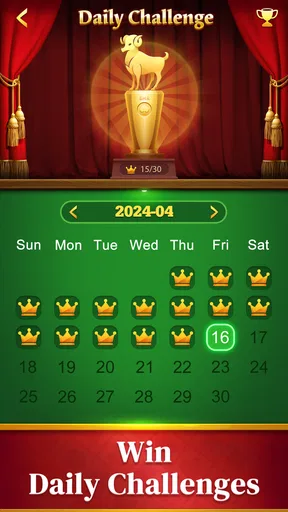
- Daily challenges keep the game engaging.
Cons
- Ads can be intrusive during gameplay.
- Limited features in the free version.
- No multiplayer mode available.
- Occasional lag on older devices.
- In-app purchases can be pricey.
FAQs for Solitaire Classic Klondike
What features does Solitaire Classic Klondike offer?
Solitaire Classic Klondike provides a traditional card game experience with a user-friendly interface. Key features include customizable card decks, daily challenges, and multiple difficulty levels. The app also offers hints and undo options to help players improve their skills. Additionally, it supports offline play, allowing you to enjoy the game anytime, anywhere.
Is Solitaire Classic Klondike free to download and play?
Yes, Solitaire Classic Klondike is free to download and play. However, it may contain in-app purchases for additional features or to remove ads. These purchases are optional and not necessary to enjoy the full game experience. Be sure to check the app store for any specific pricing details.
Does Solitaire Classic Klondike require an internet connection?
No, Solitaire Classic Klondike does not require an internet connection to play. You can enjoy the game offline, making it a perfect choice for when you’re on the go or in areas with limited connectivity. However, some features like daily challenges might need internet access.
Are there any ads in Solitaire Classic Klondike?
Yes, the free version of Solitaire Classic Klondike typically includes ads. These ads help support the developers and keep the app free for users. If you find the ads disruptive, there is usually an option to make an in-app purchase to remove them and enjoy an ad-free experience.
Can I customize the appearance of the game in Solitaire Classic Klondike?
Absolutely! Solitaire Classic Klondike allows you to personalize your gaming experience. You can choose from various card deck designs, backgrounds, and themes to suit your style. This customization adds a personal touch and enhances the visual enjoyment of the game.


